
What’s new in Keymews: a 12-month forecast, offline inspections and dark mode
Forecast your rent and costs for the year ahead, record inspections without signal, choose when reminders go out, share one property with a joint owner, switch to dark mode, and find homes in the new property search.
This month’s changes are about the year ahead and the places landlords actually work: an empty flat with no signal, the evening catch-up, the house you own with someone else. Here’s what’s new.
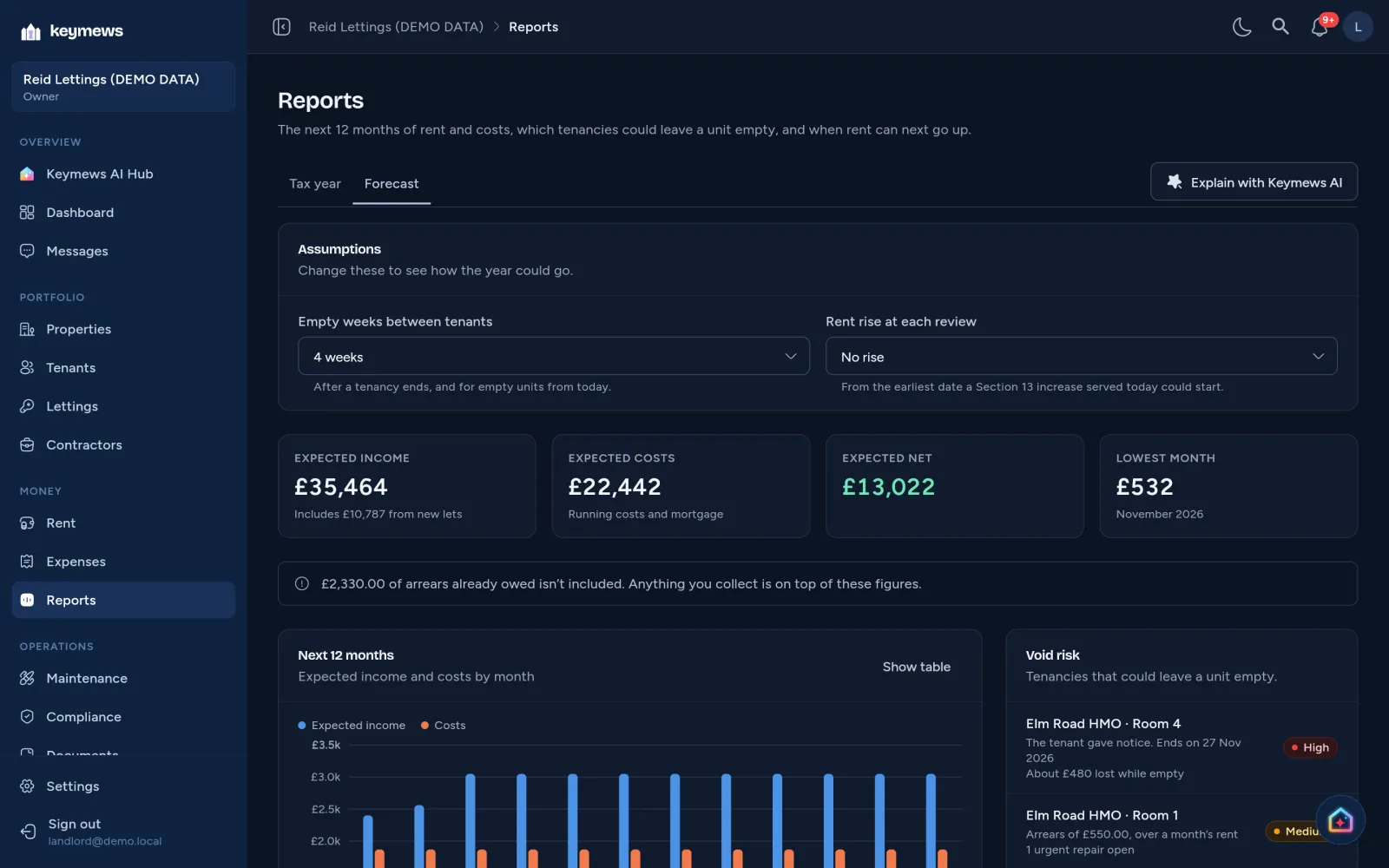
See the next 12 months
Reports → Forecast projects your rent and costs month by month from the records you already keep, on every plan. Income comes from each tenancy’s rent until any end date, with served rent increases from the date they take effect. Costs are your running costs at the last 12 months’ average, plus your mortgage payments.
Two settings let you test the year: how many weeks a unit sits empty between tenants, and whether rent rises at each review. Beside the chart:
- Void risk lists tenancies that could leave a unit empty: one that’s ending, or in arrears, or with urgent or several open repairs.
- Rent reviews shows when you can next serve a Section 13 notice, and the earliest date a new rent could start.
On Premium, Explain with Keymews AI talks the forecast, or your tax-year figures, through in plain English. Read how the forecast works.
Inspections without signal
Signal is often poor inside a property. Open an inspection before you go and Keymews keeps a copy on your phone. If the connection drops, keep recording conditions, notes, deductions and photos. They’re saved on the device and sync when you’re back online, or when you tap Sync now. Completing the inspection and its report need a connection. See the inspections guide.
Reminders on your timings
In Settings → Automations, choose how many days before rent is due your tenants are reminded, when overdue reminders and your own alerts go out, and how far ahead you hear about certificates and tenancies ending. You can also set when overdue rent becomes urgent (the tenant’s reminder then says it’s a final reminder) and how long an emergency repair can wait unassigned before you’re alerted. Nothing changes until you edit it. See choosing when reminders go out.
Share one property, not all of them
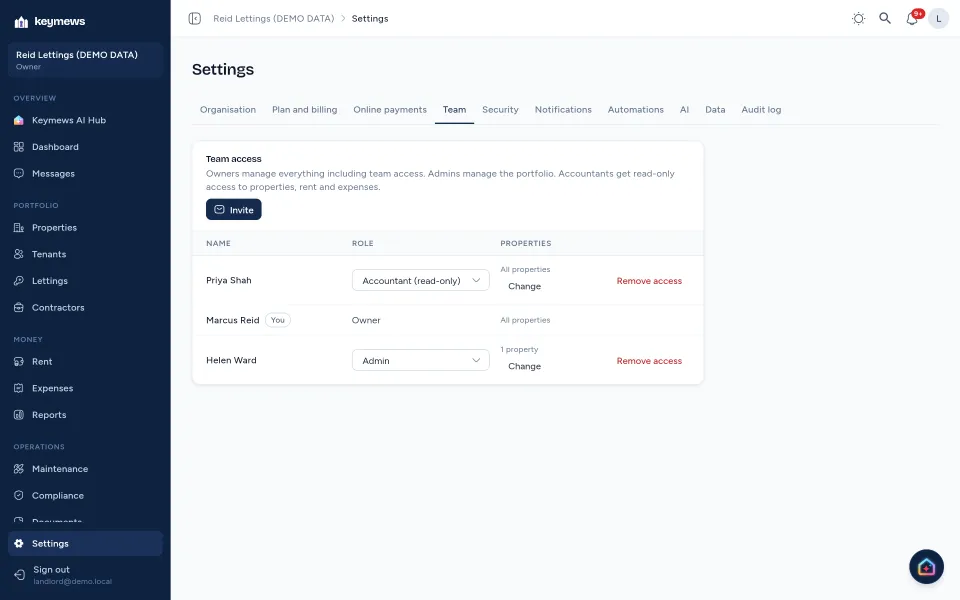
On Basic and above, you can now limit an admin or accountant to selected properties. It suits a joint owner of one house, or an accountant who only does the books for part of your portfolio. They work on those properties as normal and see nothing about the others: not in lists, reports, alerts or messages. Everyone you’ve already invited keeps every property. See team and property access.
Light or dark
Keymews now follows your device’s light or dark setting. To choose yourself, tap the sun or moon button beside your notifications. It works for landlords, tenants, contractors and accountants, and the choice is saved on each device. You can compare the two on the features page.
Property search
Anyone can now search for a home to rent or to buy at lettings.keymews.co.uk, free and without an account. Describe what you want in your own words, such as “2 bed flat in Leeds under £1,200 with parking”, or search near where you are, then fine-tune the area, budget, bedrooms and type. Save homes with the heart, and work out a mortgage, stamp duty or the rent you can afford with the calculators beside the results.
If you advertise on Premium, your listings appear there automatically, to rent or for sale, and enquiries, viewings and applications still come straight to you. See property search on the features page.
Also new
- The compliance centre now tracks rules that are on the way, such as the landlord ombudsman, ready to add them once they apply.
- Notifications on your phone and computer, on every plan. Turn them on for each device in Settings → Notifications and choose them for rent, compliance, repairs and messages. Between 9pm and 8am they wait until the morning and arrive together. On an iPhone or iPad, add Keymews to your Home Screen first (shown below), then turn them on from there.

- Each portal on your home screen. Tenants who add their portal to their phone’s home screen get Keymews Home, with its own icon. Contractors and accountants get Keymews Work.

Questions or ideas? Get in touch. Everything here is live today, on the plans noted.