Home / Features / Accountants / Your clients

2 of 2

Your clients

Deadlines, reminders and fee invoices for every client.

Every client’s deadlines in one list Basic and Practice

For all your clients, whether or not they use Keymews.

  • MTD and Self Assessment dates in one go
  • Overdue and due soon on your home page
  • Export every deadline as a spreadsheet
All 5 things
  • Add a tax year’s dates in one go: Making Tax Digital quarterly updates and the final declaration, or the Self Assessment return
  • Payments on account and balancing payments, if you track them
  • VAT returns, accounts, payroll or anything else, with your own dates
  • What’s overdue and what’s due in the next 30 days, on your home page, with a calendar view
  • Repeating deadlines, and every deadline exported as a spreadsheet
Adding a tax year’s deadlines, recorded on demo data.

Reminders, documents and fee invoices Basic and Practice

Clients are reminded before a deadline and send what you need by link.

  • Reminder emails 14 and 3 days before
  • Clients upload documents by link
  • Numbered PDF invoices for your fees
All 4 things
  • Reminder emails to clients 14 and 3 days before a deadline, sent on your behalf
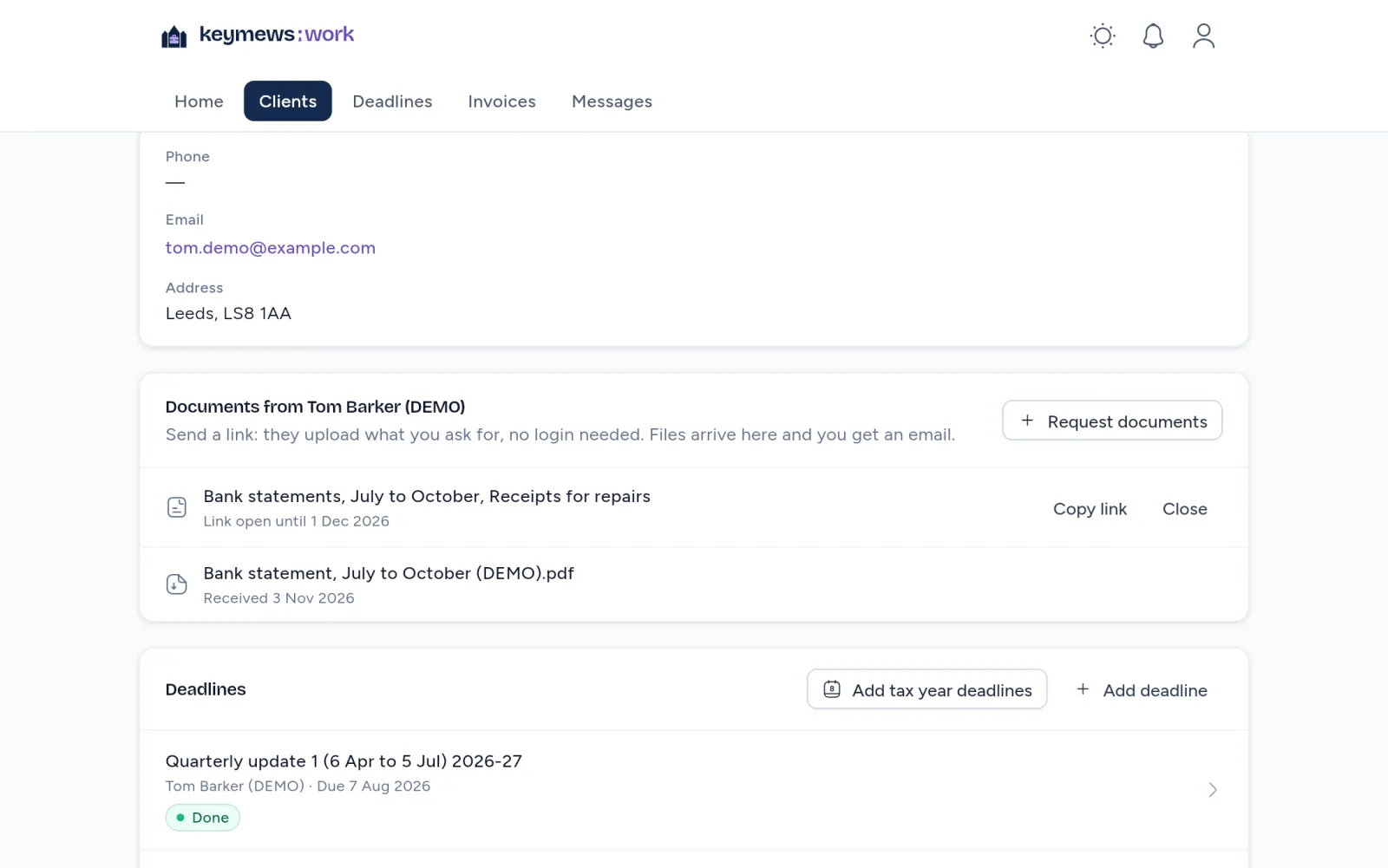
  • Ask a client for documents with a link: they upload P60s, statements and receipts without an account
  • Numbered PDF invoices for your fees, with VAT if you’re registered
  • On your phone too: add the work portal to your home screen as Keymews Work, with its own icon
One of an accountant’s own clients in the work portal on demo data: an open request for bank statements and receipts, with a link open until 1 December, the bank statement the client uploaded, and their deadlines below.
A client’s documents and deadlines, demo data.